
Login and Register

Introduction
We999 login and register is the first step for anyone who wants to play on this earning game. Without an account, you cannot deposit, join prediction rounds, or withdraw winnings. Luckily, the signup process needs only a Pakistani mobile number and a password. After that, logging in takes a few seconds on any Android phone. This page walks you through both processes in clear and simple steps.
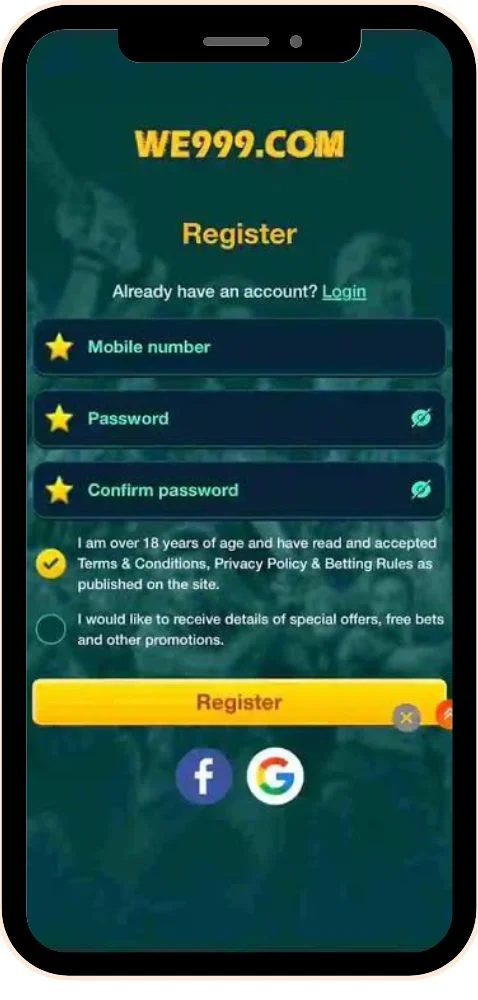
Many new users get stuck at small points, such as a missing OTP or a wrong password. So, we also cover password recovery and the most common access errors with quick fixes. You will find practical safety tips to keep your wallet balance protected as well. Every step here reflects how the current version of the app actually works. Read on to set up your account properly the first time.
What Is We999 Login and Register?
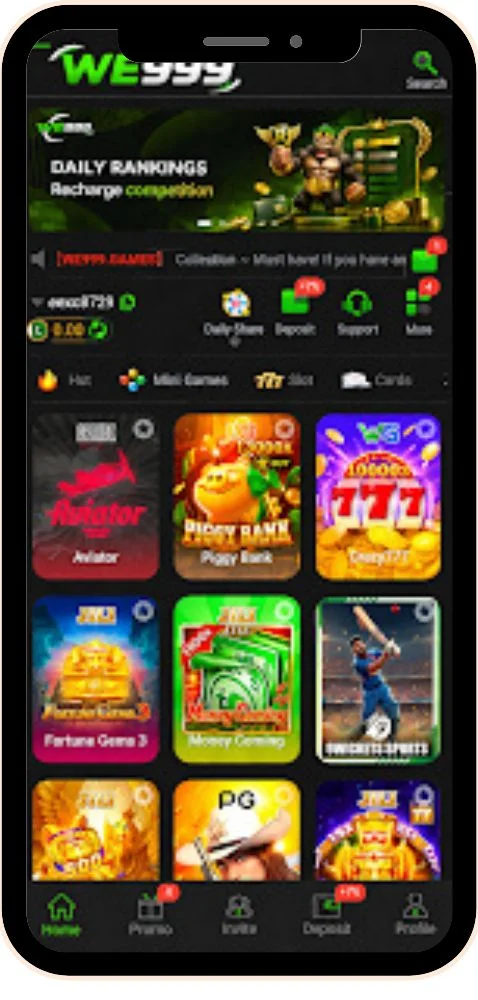
Registering on We999 means creating a personal account linked to your mobile number. This account holds your wallet, bet history, bonuses, and referral team in one place. Logging in simply means entering your number and password to open that account again. Because real money sits in your wallet, the app treats both steps seriously. It uses OTP checks and a separate withdrawal password for extra protection.
Each mobile number can usually hold only one We999 account. Therefore, you should register with a number you plan to keep for a long time. If you lose access to that SIM, recovering your account becomes much harder. Your number also receives codes for password resets and important account changes. In short, your phone number works as the key to your entire account.
How Do You Register a New We999 Account?
Creating an account is free and takes about two minutes. Make sure you have installed the latest APK from the official website first. Then follow these steps carefully.
- Open the We999 app on your Android phone.
- Tap the Register button on the welcome screen.
- Type your active Pakistani mobile number without extra spaces.
- Tap Send Code and enter the OTP from your SMS inbox.
- Create a password that mixes letters and numbers.
- Enter the password again to confirm it.
- Add an invitation code if a friend or agent gave you one.
- Accept the terms and tap Register to create your account.
Once registration succeeds, the app usually logs you in automatically. Visit the account section next and set your withdrawal password right away. You will need it later to cash out through JazzCash or EasyPaisa.
How Do You Log In to We999 Game?
Logging in is even quicker than signing up. You only need the number and password you used during registration. Here is the process.
- Launch the We999 download app from your home screen.
- Tap Login if the app opens on the signup page.
- Enter your registered mobile number.
- Type your login password carefully.
- Tick Remember Me only on your personal phone.
- Tap Login to open your dashboard and wallet.
How Can You Reset a Forgotten We999 Password?
Forgetting a password happens to everyone, and the fix is simple. You just need access to your registered SIM for the verification code.
- Tap Forgot Password on the login screen.
- Enter the mobile number linked to your account.
- Request the OTP and type it in the given box.
- Set a new password that you have not used before.
- Log in again with your new password.
Why Can’t You Log In or Register on We999?
Most access problems come from small mistakes or weak connections. Try these fixes before you contact support.
Incorrect Password Error
The app rejects your password even though you feel sure it is right.
- Check that Caps Lock or autocorrect did not change any letters.
- Confirm you typed the correct registered number.
- Use Forgot Password if the error keeps appearing.
OTP Code Not Arriving
The SMS code never shows up during signup or password reset.
- Wait one full minute before tapping resend.
- Make sure your SIM has signal and enough balance for SMS.
- Check your message filters or spam folder for the code.
Number Already Registered
The app says your number is already in use when you try to sign up.
- Try logging in instead, since you may have registered before.
- Reset the password if you do not remember it.
- Contact support if you never created an account with that number.
App Stuck on the Loading Screen
The login button spins but never opens your account.
- Switch between Wi-Fi and mobile data.
- Clear the app cache from your phone settings.
- Install the latest APK from the official website.
What Tips Keep Your We999 Account Safe?
Your account holds real money, so a few good habits go a long way. Follow these tips every time you use the app.
Use Two Different Passwords
Keep your login password and withdrawal password completely different. That way, one leaked password cannot empty your wallet.
Never Share Your OTP
Real support agents never ask for your verification code. Anyone asking for it is likely trying to take over your account.
Avoid Fake Login Pages
Some websites copy the We999 design to steal login details. Only sign in through the official app, not through random links.
Log Out on Shared Phones
If you use a friend’s device, always log out after playing. Also, skip the Remember Me option on any phone that is not yours.
Update Your Password Regularly
Change your passwords every few months for better security. Pick something new instead of repeating old combinations.
Conclusion
Setting up your We999 Game account takes only a mobile number, an OTP, and a strong password. Once you register, logging in becomes a quick routine that takes just a few seconds each time. Moreover, the password reset option helps you regain access whenever you forget your details. Most login and signup errors have simple fixes, like checking your connection or requesting a fresh code. For anything more serious, the in-app support team can review your account directly. A properly secured account lets you focus on the games without worrying about your balance.
Before you start playing, take a minute to set a separate withdrawal password from the account section. Keep your registered SIM active, because it controls password resets and important account changes. In addition, never share your OTP with anyone, even someone claiming to work for We999. Always sign in through the official app rather than links shared in random groups or messages. Finally, remember that any real money app carries risk, so play only with money you can afford to lose. With these steps in place, your We999 account stays safe and easy to manage.
FAQs
Yes, the invitation code is optional. You can leave that field empty and still create your account normally.
No, each mobile number usually links to only one account. Trying to create duplicates may lead to restrictions on your account.
Get a replacement SIM for the same number from your network provider. Then use it to receive OTP codes and recover your account.
No, they are separate passwords. You set the withdrawal password after registration from the account or security section.
We999 currently focuses on Android through its APK file. iPhone users may need to check the official website for any web version.